Low Battery Indicator
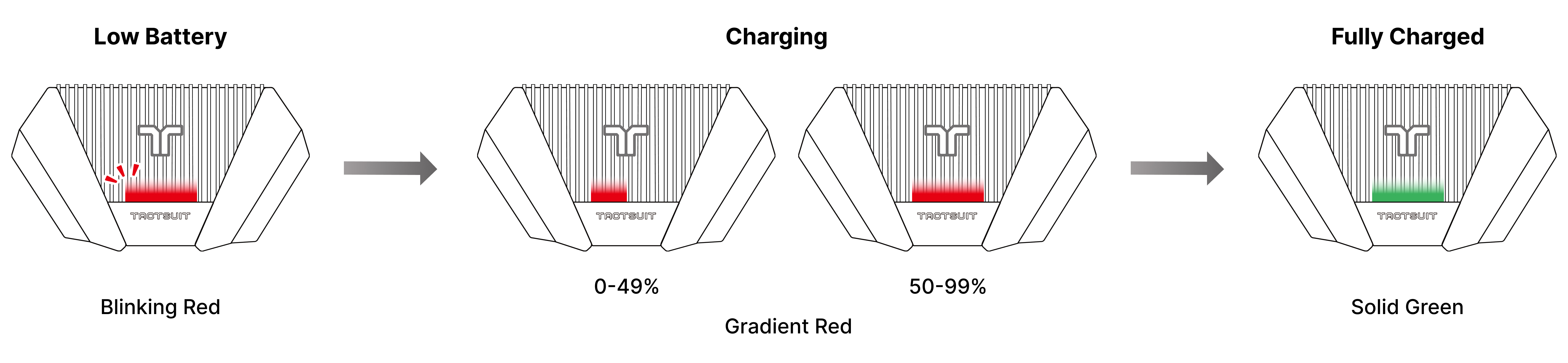
If the battery level drops below 17%, the LED indicator will glow red. When this happens, we recommend charging the device before use to ensure stable performance.
How to Charge
Insert the provided USB-A to USB-C charging cable into the charging port located on the bottom of the Back Controller.
Plug the other end into a power source. Please note that the TactSuit Pro does not come with a charger, so you will need to use one of the following:
An AC adapter that meets your region’s safety standards (UL-certified in the U.S., CE-certified in Europe).
A USB port on your PC or laptop.
- Using the included cable with a 5V, 2A adapter, it typically takes about 5 hours for a full charge.
- The LED indicator will gradually fill with green to show charging progress.
- Once fully charged, the LED indicator will remain solid green.
⚠️ Using an unauthorized adapter or cable may cause damage or void your warranty
⚠️ While charging, the TactSuit Pro cannot be used. For safety reasons, all haptic motors remain inactive during charging.
Was this article helpful?
That’s Great!
Thank you for your feedback
Sorry! We couldn't be helpful
Thank you for your feedback
Feedback sent
We appreciate your effort and will try to fix the article
Still have problems?
If you couldn’t find what you were looking for, feel free to contact our support team.